Built for poultry traders & farmers

Smart accounting for your poultry business

Powered by Poultry Expert

Track purchases, sales, parties, stock, and payments in one place. PoultryHisab helps you stay on top of daily hisab with clear reports and secure OTP sign-in.

OTP login Cloud sync via API Windows desktop

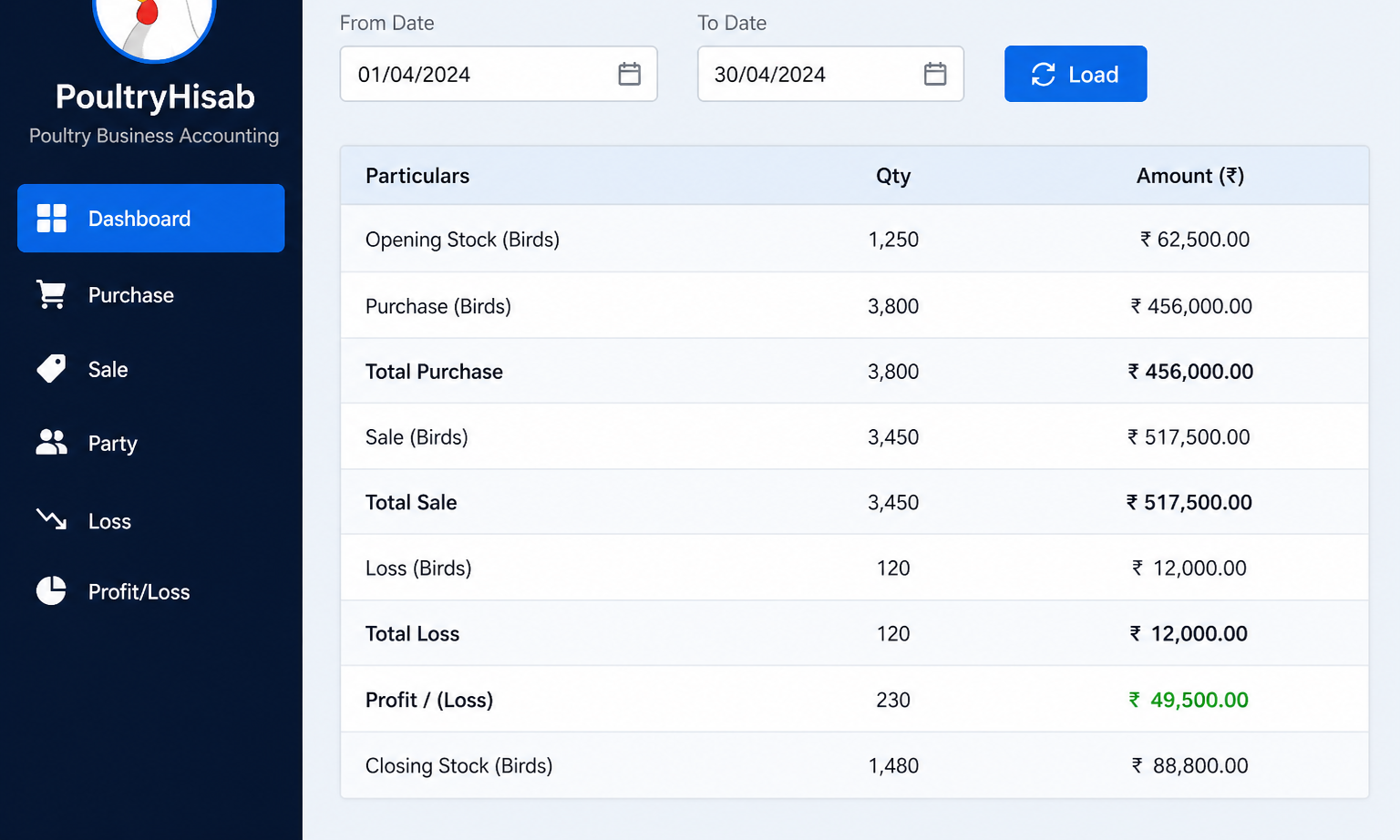
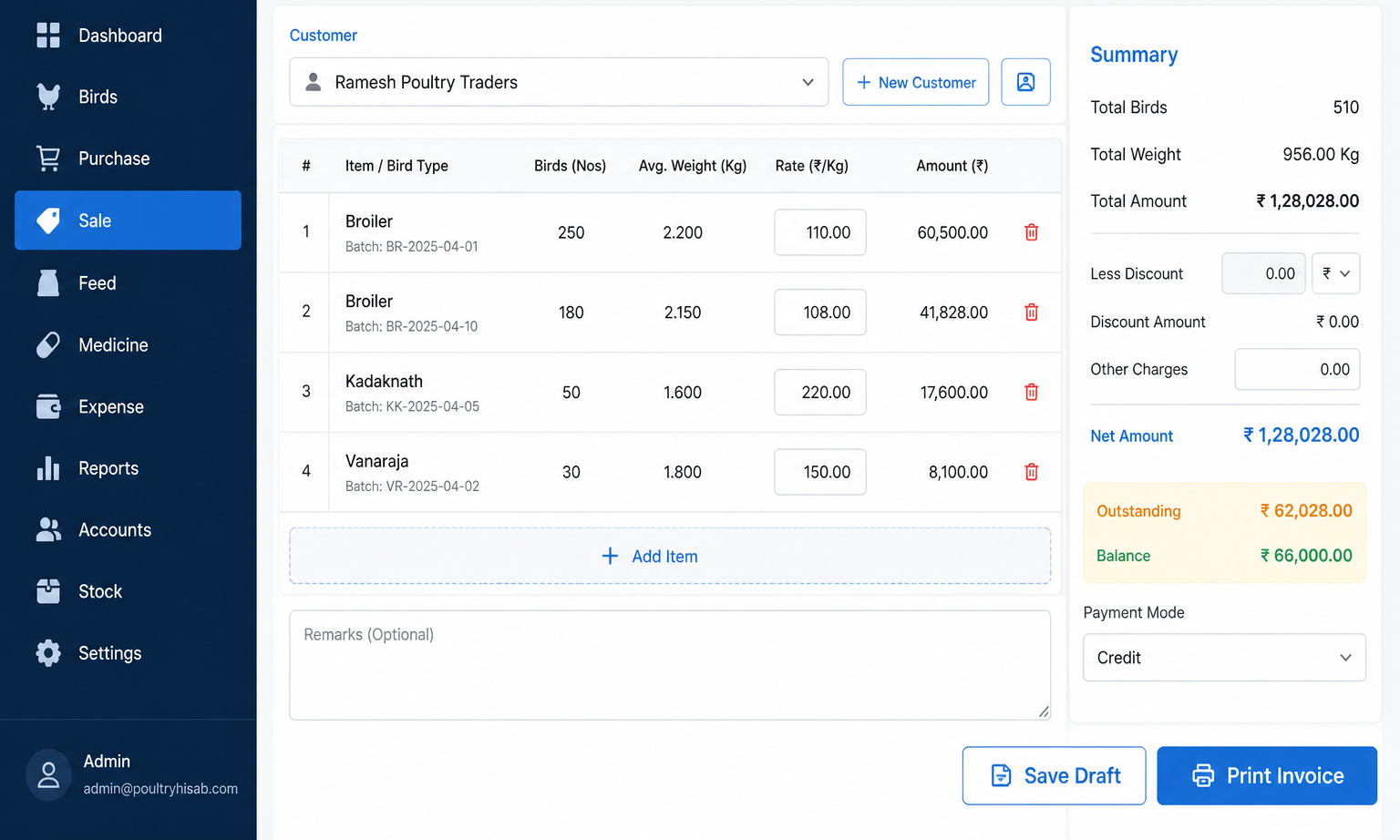
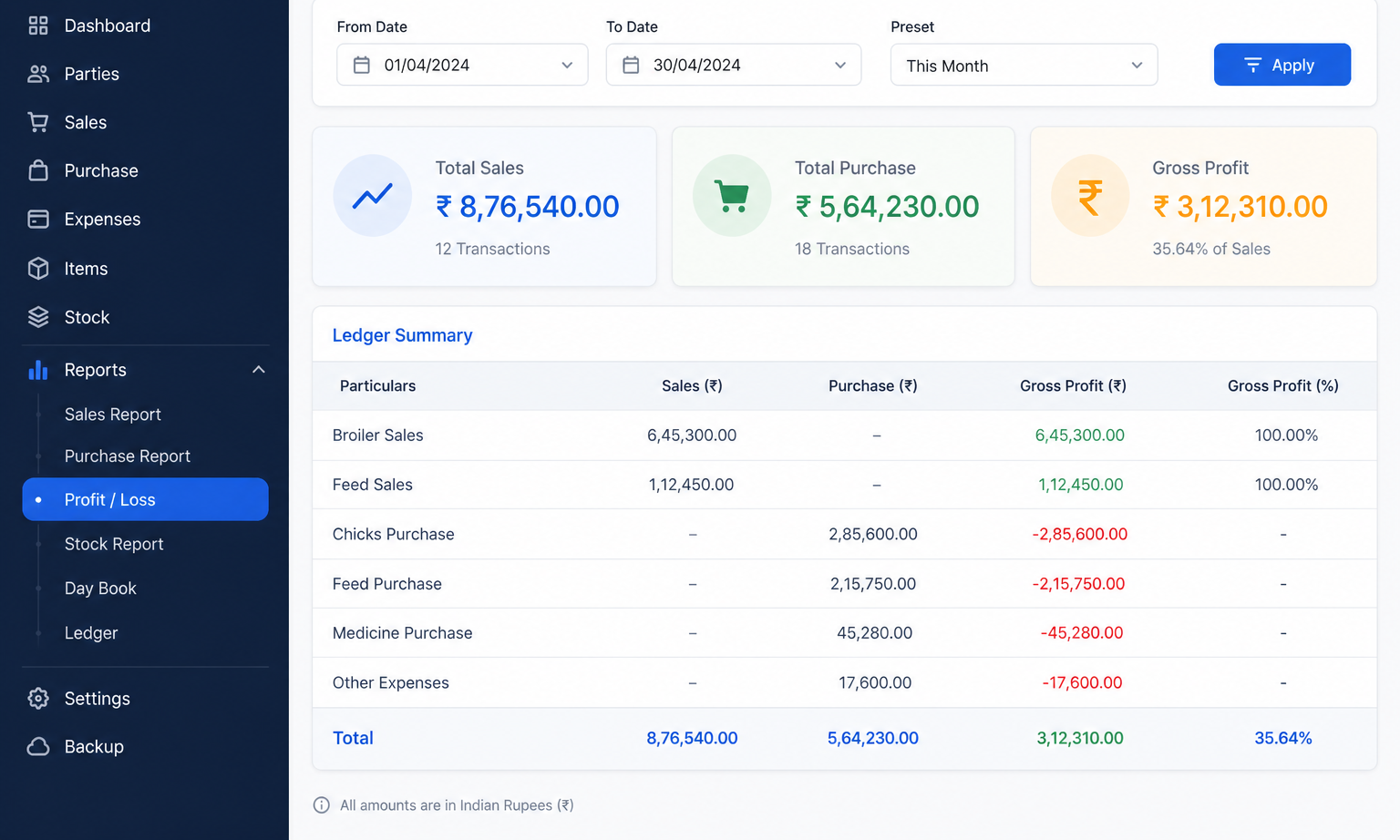
PoultryHisab Dashboard — live app screen PoultryHisab Sale screen PoultryHisab Profit and Loss screen

Real app screens — same window chrome as the Windows desktop EXE.

About us

Built for poultry businesses you can trust

PoultryHisab Software is accounting software made for Indian poultry traders, wholesalers, and farm operators who need accurate daily hisab — not complicated ERP systems. It is built and supported by Poultry Expert.

We focus on what matters on the ground: purchases, sales, party balances, stock, losses, and clear reports. Your business data stays with your account, protected by OTP sign-in and secure cloud connectivity.

Powered by Poultry Expert

Secure access

Mobile OTP login with device session — no shared passwords on the shop floor.

Your business, your data

Each registered business sees only its own parties, transactions, and reports.

Responsive support

Reach our team by email for onboarding, subscriptions, and technical help.

Clear policies

Published Terms and Privacy Policy for transparency.

Features

Everything you need to run poultry hisab

From party ledgers to invoice printing — manage the full cycle of your poultry business without spreadsheets.

Dashboard

See today’s sales, purchases, outstanding balances, and stock trends the moment you open the app.

Purchase & sales

Record bird purchases and sales with rates, weights, lorry details, DC numbers, and payment tracking.

Party management

Maintain customers and vendors with balances, ledgers, and per-business data isolation.

Invoices & PDF print

Generate sale invoices, print or save PDFs, and share professional summaries with your clients.

Loss tracking

Capture mortality and other losses linked to purchase stock for accurate costing.

Profit & loss

Period-wise P&L, customer/vendor ledgers, and loss reports — ready to print or export.

Secure OTP login

Sign in with mobile OTP. Stay signed in on your device; re-verify when the session expires.

My Business

Update business name and profile so invoices and letterheads show your brand, not a generic title.

Subscriptions

Choose a plan that fits your trade and manage renewals from inside the desktop app.

How it works

Start in minutes

Download the Windows installer, register your business, verify your mobile with OTP, and begin entering daily transactions. Your data stays tied to your account — safe and separate from other businesses.

1

Download & install

Run PoultryHisabSetup.exe on Windows 10/11 and launch the app.

2

Verify mobile

Register with OTP and sign in securely on your shop PC.

3

Manage daily hisab

Add parties, purchases, sales, and run reports from one app.

Reports

Decisions backed by clear numbers

  • Profit & loss — period-wise P&L for your poultry operations.
  • Customer & vendor ledgers — outstanding balances and transaction history.
  • Loss reports — track shrinkage and mortality against purchase batches.
  • Export & print — share PDFs and printed summaries with partners.
PoultryHisab Profit and Loss report screen

Download

Get PoultryHisab for Windows

Install the desktop application on your PC, register your business, verify your mobile with OTP, and start your daily hisab.

Windows desktop application

Download installer

File: PoultryHisabSetup.exe

Version: 1.0.0

Requires: Windows 10 or later (64-bit recommended)

Download for Windows
  1. Download and run PoultryHisabSetup.exe on your Windows PC.
  2. If SmartScreen appears, choose More info → Run anyway.
  3. Create an account with your mobile number, verify OTP, and start hisab.

Questions before you install?

We're happy to walk you through setup, subscription plans, and how PoultryHisab fits your trade.

Contact support

Contact us

For demo access, subscription plans, or support — reach out to our team.